
Part of our Contractor Guides
The best contractor invoicing software depends on job size more than price. Solo trades that only need estimates and invoices fit simple apps like Joist, Invoice2go or Invoice Simple. Crews that schedule and dispatch fit Jobber or Housecall Pro. If you already run QuickBooks Online or FreshBooks, invoicing there may be enough.
Disclosure: some vendor links on this page may be affiliate links. If you sign up through one, we may earn a commission at no extra cost to you. Any sponsored placement is labeled “Sponsored Placement” and sits outside our picks. Neither changes how we describe, compare or rank tools. GuestMargin is our own product and is marked “Our tool.” How we make money.
A one- to three-person shop can easily end up paying for dispatching and scheduling it doesn’t use. And card-processing fees can cost more than the subscription itself. So this guide compares both: the plan price and what it costs to get paid, using each vendor’s own pricing page.
Software only formats the price you give it. If you are still unsure what a complete job estimate includes, start there; any of these apps will then turn it into a clean invoice.
Pricing checked November 2026 on each vendor’s site; may change. Where a vendor’s page did not show a price we could verify, we say “See vendor site.”
Quick Comparison: Contractor Invoicing Software at a Glance
Entry prices range from free (GuestMargin, Square Invoices Free, Wave Starter) to about $59 to $79 a month for Housecall Pro Basic. Simple invoicing apps cost the least; field service suites cost more because they add scheduling, dispatch and crew tools. Card fees on invoices run roughly 2.9% to 3.5% plus a per-transaction fee on most plans.
| Tool | Best for | Starting price (vendor page) | Free plan or trial | Online card fee on invoices |
|---|---|---|---|---|
| GuestMargin Our tool | Free estimates, invoices and change orders, no account | $0 | Free; Pro (send, e-sign, payments) coming soon | No online payments yet |
| Joist | Solo contractors who want estimates, invoices and change orders on a phone | Basics $10/mo monthly, $8.34/mo billed annually (5 documents/mo) | 14-day trial; free plan discontinued | Not published on pricing page |
| Invoice2go | Low-volume invoicing with invoice caps | Starter $79.99/yr (annual) | 30-day trial (card required) | 3.5% Starter, 3.0% Professional, 2.9% Premium |
| Square Invoices | Free invoicing with estimates and contracts | Free $0; Plus $49/mo per location | Free plan | 3.3% + 30¢ Free; 2.9% + 30¢ Plus |
| Invoice Simple | Very simple invoices with monthly caps | Essentials $6.99/mo or $69.99/yr | 14-day trial of Premium on mobile | Not published on pricing page |
| Jobber | Service businesses that book and schedule jobs | Core $29/mo billed annually, $49 monthly (1 user) | 14-day trial | 2.9% + 30¢ |
| Housecall Pro | Home service crews that dispatch techs | Basic $59/mo billed annually, $79 monthly (1 user) | 14-day trial | “As low as 2.59%” |
| QuickBooks Online | Contractors who need full bookkeeping | Simple Start $38/mo (promo pricing shown) | See vendor site | See vendor site |
| FreshBooks | Invoicing plus accounting for small client lists | Lite $23/mo (5 billable clients) | Promo pricing shown | 2.9% + 30¢ |
| Wave | Free invoicing and bookkeeping on a budget | Starter $0; Pro $19/mo or $190/yr | Free plan | 2.9% + 60¢ (Visa, Mastercard, Discover) |
What Contractor Invoicing Software Actually Does
Invoicing software for contractors turns your price into a document the client can approve and pay. It comes in three kinds: simple estimate and invoice software (estimates, invoices, deposits), field service software (adds scheduling, dispatch and crews) and accounting software (adds the books). Buy the kind that matches your biggest daily problem, not the longest feature list.
| Your main need | Category | Examples on this page | Watch out for |
|---|---|---|---|
| Send estimates and invoices, take deposits | Simple invoicing app | GuestMargin, Joist, Invoice2go, Invoice Simple, Square Invoices | Invoice caps, card fees on low tiers |
| Book, schedule and dispatch crews | Field service management | Jobber, Housecall Pro | Per-user pricing; paying for unused dispatch |
| Bookkeeping, taxes, payroll | Accounting software | QuickBooks Online, FreshBooks, Wave | Generic invoices without trade fields |
If all you need is an estimating app that also bills, the simple invoicing apps are usually enough. Whichever you pick, the software does not set your price. You still have to do the takeoff and the math; see pricing a construction job step by step. Scope changes need change orders no matter what app you use, and long jobs may need AIA-style G702/G703 pay applications, which simple invoicing apps often don’t produce.
What Do Card Payments Really Cost?
On most plans here, card payments on invoices cost about 2.9% to 3.5% plus a fixed per-transaction fee. On an illustrative $10,000 a month paid by card across 10 invoices, that is roughly $290 to $350 a month in fees, which can exceed the subscription itself.
Illustrative arithmetic from each vendor’s published rate; your actual rate may differ.
| Tool and plan | Published card rate | Fees on $10,000 (10 invoices) |
|---|---|---|
| Square Invoices Free | 3.3% + 30¢ | $333 |
| Square Plus ($49/mo) | 2.9% + 30¢ | $293 |
| Jobber (all plans) | 2.9% + 30¢ | $293 |
| FreshBooks Payments | 2.9% + 30¢ | $293 |
| Wave Starter | 2.9% + $0.60 | $296 |
| Wave Pro ($19/mo) | 2.9% (first 10 transactions without the fixed fee) | $290 |
| Invoice2go Starter / Professional / Premium | 3.5% / 3.0% / 2.9% | $350 / $300 / $290 (fixed fee, if any, not stated) |
| Housecall Pro | “As low as 2.59%” | From $259 (actual rate not published) |
| Joist, QuickBooks Online, Invoice Simple | Not published on pricing page | See vendor site |
Two takeaways on card and ACH processing fees. First, ACH is far cheaper where offered: Jobber and FreshBooks list 1%, Invoice2go lists ACH as free, and Square Plus caps ACH at $10. Second, you can state in your invoice payment terms which methods you accept, so large balances move by ACH or check. Card surcharging rules vary by state and card network, so check before adding a fee.
Our tool Not part of the ranked picks below
GuestMargin Free Estimate and Invoice Maker
GuestMargin is a free browser tool that makes estimates, quotes, invoices and change orders. There is no account: documents save in your browser, export to PDF through print, and you can export CSV or a JSON backup. An accepted estimate converts to an invoice, with deposit percentage, amount paid and sales tax on taxable lines.
Limitations. It does not send documents, collect e-signatures or take online payments today. Those are planned for GuestMargin Pro, which is coming soon. Skip it if you need scheduling, dispatch or card payments now.
Open a trade layout such as the construction estimate template or the HVAC invoice template, or join the Pro waitlist for sending, e-signature and online payments.
Best Simple Invoicing Apps for Solo Contractors
Joist, Invoice2go, Square Invoices and Invoice Simple handle estimates and invoices without scheduling or crew tools. They suit solo trades and small shops whose main job is getting a price approved and paid. The differences are document caps, change orders and what each charges per card payment.
If you are hunting for the best estimate app for contractors who work alone, start with this group before paying for a field service suite.
1 Joist: Best for solo contractors who want an app
Joist is an estimating and invoicing app built for contractors.
What it does well. It is made for trade paperwork, and its pricing page says every plan can request deposits. Higher plans add change orders.
Key features:
- Estimates and invoices built for contractors
- Deposit requests on every plan
- Change orders on Elite and Run
- Milestone payments, in-app signatures and QuickBooks sync listed in its plan table (check which plan includes each)
Pricing. Basics $10/mo billed monthly ($8.34/mo billed annually), Pro $17 ($14.17), Elite $32 ($26.67) and Run $70/mo, shown discounted from $100 ($58.33/mo billed annually). Basics is capped at 5 documents a month; Pro and up are unlimited. Processing fees are not listed on the pricing page.
Best for: solo contractors who want estimates, invoices and change orders on a phone.
Limitations. The free plan is no longer available (there is a 14-day trial), and change orders need Elite or Run. Skip it if you need change orders but want the cheapest tier.
2 Invoice2go: Best for low-volume invoicing
Invoice2go is a general small-business invoicing app.
What it does well. Its card fee drops as you move up plans, and its pricing page lists bank transfer (ACH) payments as free.
Key features:
- Card fees of 3.5%, 3.0% or 2.9% depending on plan
- Free ACH bank transfers
- PayPal payments at 2.9% + 30¢
Pricing. Billed annually: $79.99/yr for Starter (30 invoices a year), $119.99/yr for Professional (100 invoices a year) and $449.99/yr for Premium (unlimited). Monthly prices: see vendor site.
Best for: trades that send a few invoices a month and want free ACH.
Limitations. Invoice caps on the two lower plans, and the 30-day trial requires a card. Skip it if you send more than about two invoices a week and don’t want Premium.
3 Square Invoices: Best free plan with estimates and contracts
Square Invoices has a free plan that includes estimates and contracts.
What it does well. You can send estimates and take card payments with no monthly fee; its pricing page describes e-signature and deposits.
Key features:
- Free plan with estimates and contracts
- E-signature and deposits described on the pricing page
- Milestone payment schedules on Square Plus
- ACH fees capped at $10 on Square Plus
Pricing. Free $0; Square Plus $49/mo per location. Online card payments on invoices cost 3.3% + 30¢ on Free and 2.9% + 30¢ on Plus. The free plan’s ACH fee: see vendor site.
Best for: contractors who want free estimates and contracts with card payments built in.
Limitations. The free plan has the higher card rate. Skip it if you need trade-specific change orders or progress billing.
4 Invoice Simple: Best for very simple invoices
Invoice Simple is a lightweight invoice and estimate app.
What it does well. Its Essentials plan, at $69.99 a year, is the lowest paid entry price on this page, and plans are sized by how many invoices you send.
Key features:
- Invoices and estimates
- Plans sized by monthly invoice count
- 14-day trial of Premium on mobile
Pricing. Its pricing page lists Essentials at $6.99/mo or $69.99/yr (up to 3 invoices a month), Plus at $14.99/mo or $149.99/yr (up to 10) and Premium at $21.99/mo or $219.99/yr (unlimited). Payment fees are not listed on that page.
Best for: trades that send only a handful of invoices a month.
Limitations. Low monthly caps on the cheaper plans. Skip it if you send more than 10 invoices a month and want to stay on a low tier.
Best Field Service Software for Small Crews
Jobber and Housecall Pro add scheduling, dispatch and crew tools on top of quotes, invoices and payments. They make sense once booking and routing jobs is your bottleneck. For one user, Jobber Core costs less; Housecall Pro is built around dispatching technicians.
5 Jobber: Best for booking and scheduling jobs
Jobber is field service management software for service businesses.
What it does well. It combines online booking, scheduling, quoting, invoicing and payments, and publishes its card and ACH rates on its pricing page.
Key features:
- Online booking, scheduling, quoting and invoicing
- Card payments, Tap to Pay and ACH
- QuickBooks Online sync and automated client reminders from Connect
Pricing. Core $29/mo billed annually ($49 monthly with no commitment, or $39/mo billed monthly with a one-year commitment) for one user; Connect from $99/mo annually ($139 monthly); Grow from $149/mo annually ($199 monthly); Plus from $399/mo annually for five users. Extra users are $29/mo each. Fees: cards 2.9% + 30¢, Tap to Pay 2.7% + 30¢, ACH 1%, instant payouts an extra 1%.
Best for: one to a few people who book and schedule jobs every week.
Limitations. Per-user pricing adds up, and sync and reminders start on Connect. Skip it if you work alone and never schedule more than a few jobs a week.
6 Housecall Pro: Best for dispatching technicians
Housecall Pro is field service software for home service companies.
What it does well. It is built around scheduling and dispatching technicians, with estimates, invoicing and payments in the same app.
Key features:
- Scheduling and dispatching
- Estimates, invoicing and payments
- QuickBooks Online sync from Essentials
Pricing. Its pricing page lists Basic at $59/mo billed annually ($79 monthly, one user), Essentials at $149 ($189, five users) and Max at $299 ($329, eight users). Card rates “as low as 2.59%” and a 1% fee on bank payments.
Best for: home service crews that dispatch techs to jobs.
Limitations. QuickBooks Online sync is not on Basic, and only a floor card rate (“as low as 2.59%”) is published. Skip it if you don’t dispatch technicians; you would pay for tools you won’t use.
Jobber vs Housecall Pro at a glance
| Item | Jobber | Housecall Pro |
|---|---|---|
| Entry plan, 1 user | Core: $29/mo billed annually, $49/mo monthly | Basic: $59/mo billed annually, $79/mo monthly |
| 5 users | Connect: $149/mo billed annually, $199/mo monthly | Essentials: $149/mo billed annually, $189/mo monthly |
| Published card rate | 2.9% + 30¢ | “As low as 2.59%” |
| Bank (ACH) payments | 1% | 1% |
| QuickBooks Online sync | From Connect | From Essentials |
From each vendor’s pricing page, checked November 2026. Both change prices and run promotions, so confirm before you buy. For plan-by-plan features, team-size pricing and fees, read our full Jobber vs Housecall Pro comparison.
Best Accounting Software With Invoicing
QuickBooks Online, FreshBooks and Wave send estimates and invoices inside your books, so payments land where your bookkeeper works. They are the right pick when bookkeeping is the main need; their invoices are generic rather than built for trades.
If full books are the main decision, with job costing, payroll and AIA billing, see our accounting software for contractors comparison.
7 QuickBooks Online: Best if your bookkeeper uses QuickBooks
QuickBooks Online is accounting software that also sends estimates and invoices.
What it does well. Estimates and invoices live in the same books your accountant uses, and Intuit’s help center documents progress invoicing.
Key features:
- Estimates and invoices inside your accounting
- Progress invoicing (check which plan your account needs)
- Plans from 1 to 25 users
Pricing. Its pricing page showed regular prices of $38/mo (Simple Start, 1 user), $85 (Essentials, 3 users), $140 (Plus, 5 users) and $340 (Advanced, 25 users), with a promotional discount for the first months. Payment processing fees: see vendor site.
Best for: contractors whose books are already in QuickBooks.
Limitations. Card fees aren’t on the pricing page. Skip it if your bookkeeper uses something else and you only need to send invoices.
8 FreshBooks: Best for invoicing a small client list
FreshBooks is invoicing-led accounting software.
What it does well. Invoicing comes first, with published card and ACH rates for FreshBooks Payments.
Key features:
- Invoicing with built-in accounting
- FreshBooks Payments: cards 2.9% + 30¢, ACH 1%
- Extra team members at $11/mo each
Pricing. Its pricing page lists Lite at $23/mo (5 billable clients), Plus at $43 (50 clients) and Premium at $70 (unlimited), with Select priced on request.
Best for: trades with a small number of repeat clients.
Limitations. The billable-client caps matter for trades with many one-time customers. Skip it if you serve dozens of new homeowners a month and don’t want Premium.
9 Wave: Best free invoicing and bookkeeping
Wave offers free invoicing and bookkeeping on its Starter plan.
What it does well. You get invoicing and bookkeeping for $0 on Starter, and Pro removes the fixed card fee on your first 10 transactions each month.
Key features:
- Free invoicing and bookkeeping on Starter
- Card payments on invoices
- Pro drops the $0.60 fixed fee on the first 10 transactions each month
Pricing. Its pricing page lists Starter at $0 and Pro at $19/mo or $190/yr. Card payments cost 2.9% + $0.60 on Starter (3.4% + $0.60 for Amex). ACH fees are not listed on that page: see vendor site.
Best for: budget-minded contractors who want invoicing and books in one free tool.
Limitations. No contractor-specific features. Skip it if you want change orders on the job.
How Should You Choose Contractor Invoicing Software?
Choose by crew size, job size and how you get paid. A solo trade with short jobs needs fast estimates and invoices. A crew needs scheduling. Long jobs need deposits, change orders and progress billing. Then compare the total cost: subscription plus card and ACH processing fees at your real volume.
| If you are… | Start with | Why |
|---|---|---|
| Solo, paperwork only, no account wanted | GuestMargin Our tool | Free estimates, invoices and change orders in the browser; no online payments yet |
| Solo, want estimates and invoices in a phone app | Joist | Contractor-specific app; Basics from $10/mo (5 documents a month) |
| Want to take card payments with no monthly fee | Square Invoices (Free plan) | Free plan with estimates; you pay a published per-payment fee |
| Booking and scheduling jobs, one to a few people | Jobber Core | Scheduling, quotes, invoices and payments; $29/mo billed annually for one user |
| Dispatching technicians in home services | Housecall Pro | Dispatch, estimates, invoicing and payments; Basic $59/mo billed annually |
| Your bookkeeper uses QuickBooks | QuickBooks Online | Estimates and invoices inside your books |
| Want free invoicing plus bookkeeping | Wave Starter | Free plan; published card fees per payment |
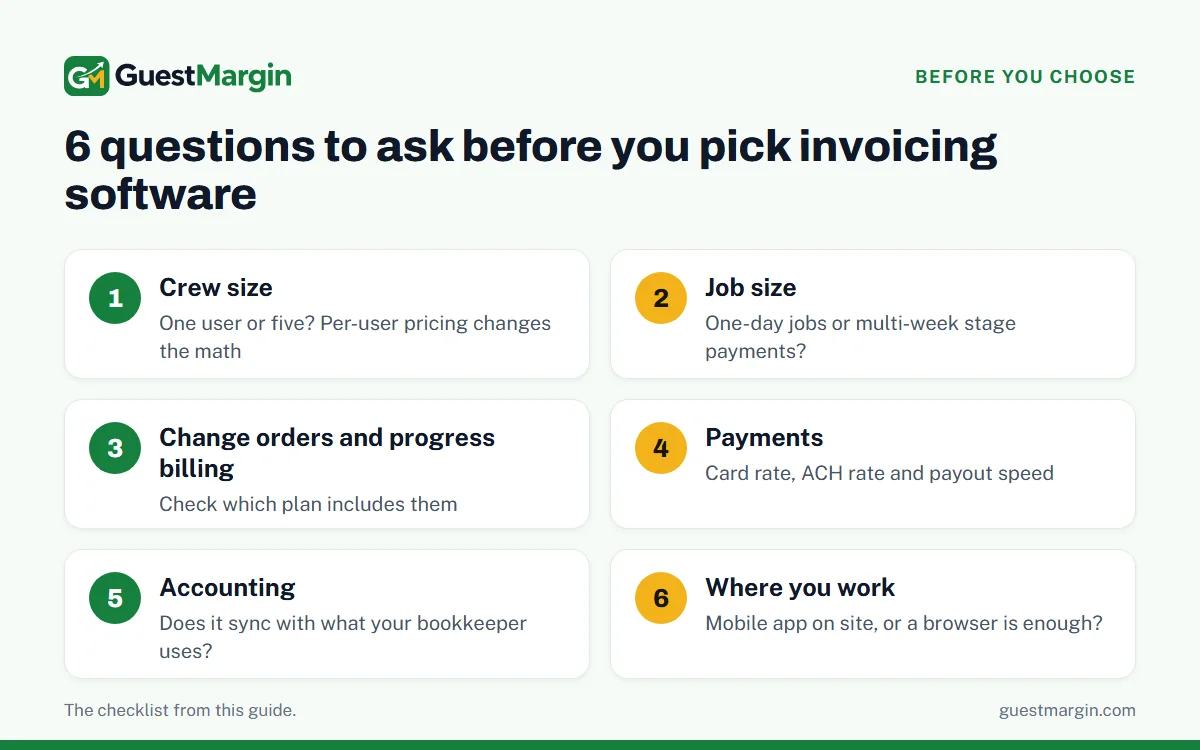
- Crew size: one user or five? Per-user pricing changes the math fast.
- Job size: one-day jobs or multi-week projects with stage payments?
- Change orders and progress billing: check the vendor’s feature page for the exact plan.
- Payments: card rate, ACH rate and payout speed.
- Accounting: does it sync with what your bookkeeper uses?
- Where you work: do you need a mobile app to write estimates on site, or is a browser on a phone or laptop enough?
Two free tools help with the numbers behind any app. Use the markup calculator when converting markup to margin, and calculate your burdened labor rate before you price an hour. For the method behind it, see how to calculate labor cost. And whatever you call the document you send, here is the difference between an estimate vs quote.
Looking for Joist or Invoice2go Alternatives?
Common reasons to look for Joist alternatives are that the free plan is gone or change orders sit on higher tiers, and for Invoice2go alternatives because of annual invoice caps. Good switches: GuestMargin or Square Invoices for free, Invoice Simple for low cost, and Jobber or Housecall Pro if you’ve outgrown invoicing and need scheduling.
- Want free with estimates: GuestMargin (no account, change orders included, no online payments yet) or Square Invoices Free (estimates, contracts and payments, at a higher card rate).
- Want cheap and simple: Invoice Simple Essentials, if three invoices a month is enough, or Wave Starter.
- Want scheduling too: Jobber Core or Housecall Pro Basic. Already on Jobber and want out? See our Jobber alternatives.
- Want it in your books: QuickBooks Online or FreshBooks, if your bookkeeper already uses one.
Before you move, export your client list and past invoices. For the layout that gets paid, see a sample contractor invoice.
How We Evaluated These Tools
We compared each tool using the vendor’s own pricing pages, feature pages and help documentation, checked in November 2026. We did not run paid trials of these products, and we do not assign scores. Tools are grouped by who they suit; the numbers make the list easy to navigate and are not a score.
- Fit for small trades: estimates or quotes, invoices, deposits and change orders.
- True cost: plan price for one user, user limits and invoice caps.
- Cost to get paid: card and ACH fees as published by the vendor.
- Scope: simple invoicing app, field service suite or accounting software.
- Lock-in: free plan or trial, and whether you need an account to start.
Vendors cannot pay to change our picks or verdicts. A sponsored placement, if a page has one, is labeled and sits outside the picks. GuestMargin is our own product, so it is labeled and kept out of the numbered list. Read our full editorial policy for how we research and update comparisons.
The Bottom Line
Match the software to the job, not the feature list. Joist, Invoice2go, Square Invoices and Invoice Simple fit solo trades; Jobber and Housecall Pro fit crews that schedule and dispatch; QuickBooks Online, FreshBooks and Wave fit when the books come first. The best invoicing software for contractors is the one whose plan price plus card fees still makes sense at your real volume.
The price still comes first, so learn how to write an estimate. Then start free with our free estimate, invoice and change order maker, and upgrade to a paid app, or to GuestMargin Pro when it launches, once you need sending and online payments.
Frequently Asked Questions
What is the best invoicing app for contractors?
The best invoice app for contractors depends on your crew and jobs. Solo contractors who need estimates, invoices and change orders often fit Joist, Invoice2go or a free tool like GuestMargin. Crews that schedule and dispatch fit Jobber or Housecall Pro. If you already use QuickBooks Online or FreshBooks for your books, their invoicing may be enough.
Is there a free estimate and invoice app for contractors?
Yes. If you want a free estimate app with no sign-up, GuestMargin (our tool) makes estimates, quotes, invoices and change orders in your browser with no account, though it does not take online payments yet. Square Invoices and Wave also have free plans; you pay processing fees when clients pay by card.
Is Joist free to use?
Not anymore. Joist’s pricing page says its free plan is no longer available. It offers a 14-day free trial, and paid plans start at $10 a month billed monthly or $8.34 a month billed annually for Basics, per its pricing page checked in November 2026.
What is the difference between Jobber and Joist?
Joist is an estimating and invoicing app for contractors, with plans starting at $10 a month. Jobber is field service management software that adds online booking, scheduling and crew tools, with Core starting at $29 a month billed annually. Pick Joist for paperwork; pick Jobber if scheduling is your bottleneck.
Do I still need QuickBooks if I use an invoicing app?
Often yes. Invoicing apps send estimates and invoices, but most don’t replace full bookkeeping, expense tracking or tax reports. Many, including Joist and Jobber (from its Connect plan), list QuickBooks sync. Ask your bookkeeper which setup they want.